Lightning Lane can save you a lot of time at Disneyland, but figuring out how it works can feel more complicated than it needs to be.
Is Lightning Lane worth paying for? How do you use it? When can you make another selection? What happens if your ride goes down?
The good news is you don’t need to master every Lightning Lane strategy to use it well.
I’ve used Lightning Lane at Disneyland on plenty of different park days, and I’ve had days when I was very glad I bought it. I’ve also had days when I looked back and thought, “Well, that was a waste of money.”
That’s because whether Lightning Lane is worth buying can change based on your trip, your priorities, the crowds, and even which attractions your family wants to ride.
In this guide, I’ll walk you through the different Lightning Lane options at Disneyland, help you decide what makes sense for your trip, and share the practical tips I use in the parks. We aren’t going to turn your Disneyland vacation into an advanced Lightning Lane math problem. By the end, you should understand the system well enough to use it confidently.
If you’re still working through the basics of your Disneyland trip, start with my Disneyland planning guide.
What Is Lightning Lane at Disneyland?
Let’s start with the terminology because Disney uses several similar-sounding names.
A Lightning Lane is a separate entrance available at select attractions at Disneyland and Disney California Adventure. Instead of waiting in the regular standby line, eligible guests enter through the Lightning Lane and typically experience a shorter wait.
One thing I want to make clear: Lightning Lane does not mean you immediately walk onto the ride. You can still have a wait after entering the Lightning Lane. The goal is to spend less time waiting than you would in the standby queue.

Lightning Lane access is not included with a standard Disneyland theme park ticket. It is an optional additional purchase, similar to adding Park Hopper to your ticket. You can visit Disneyland without purchasing Lightning Lane at all and use the regular standby lines instead.
If you decide Lightning Lane makes sense for your trip, there are two main ways to purchase access to Lightning Lane entrances at Disneyland Resort: Lightning Lane Multi Pass and Lightning Lane Single Pass.
What Is Lightning Lane Multi Pass?
Lightning Lane Multi Pass gives you access to Lightning Lane entrances at multiple participating attractions throughout the day.
After you enter a theme park, you’ll use the Disneyland app to choose an available return time for a participating attraction. When your return window arrives, you scan in at the Lightning Lane entrance. As you become eligible to make additional selections, you can continue using Multi Pass at participating attractions throughout the day.
There is one important limit to know: you can normally use Multi Pass once per participating attraction per day. So, for example, you can’t use Multi Pass to ride Space Mountain through the Lightning Lane multiple times in the same day.
Don’t worry about memorizing when you can make your next selection yet. We’ll walk through exactly how the timing works later in this guide.
What Is Lightning Lane Single Pass?
Lightning Lane Single Pass is a separate purchase for a small number of designated attractions that are not included with Multi Pass.
At Disneyland Resort, the current Single Pass attractions are Star Wars: Rise of the Resistance at Disneyland Park and Radiator Springs Racers at Disney California Adventure. You can purchase a Single Pass whether or not you’ve purchased Multi Pass.
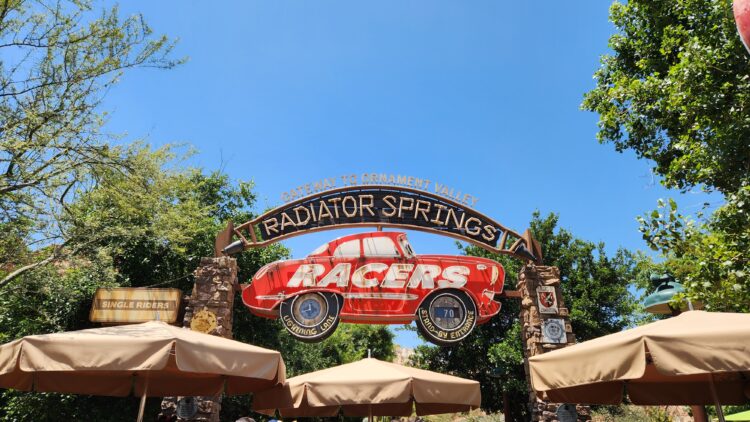
This is an important distinction: Single Pass is not an à la carte option that lets you pay for Lightning Lane access to any Multi Pass attraction. Disney determines which attractions are available through Single Pass.
For example, you can’t skip Multi Pass and decide to purchase a Single Pass for Space Mountain. Space Mountain is a Multi Pass attraction. Rise of the Resistance, on the other hand, is currently a Single Pass attraction.
Is Lightning Lane Multi Pass Worth It at Disneyland?
This is probably the biggest question people have about Lightning Lane Multi Pass, and I don’t think there’s one answer that works for every trip.
I’ve purchased Multi Pass and felt like it was absolutely worth the money. I’ve also purchased it and finished the day feeling like I barely got enough value out of it to justify the cost. Even the same family might find Multi Pass worthwhile on one Disneyland vacation and unnecessary on another.
Before you decide, think about what your group actually wants to do. If thrill rides and popular attractions are high priorities, you have limited park days, or you’re visiting during a busier time, Multi Pass may be more valuable to you.
On the other hand, a family skipping many of the thrill rides may find that fewer of the included attractions are useful to them. This can be especially true on a less crowded day when standby waits are more manageable.
Before paying for Multi Pass, take a look at the participating attraction list and compare it with the rides your group actually wants and is able to ride. If you’re traveling with kids, checking Disneyland attraction height requirements ahead of time can help you figure out how many Multi Pass attractions are realistically options for your family.
Remember, the goal isn’t to use as many Lightning Lanes as humanly possible just because you paid for them. The question is whether Multi Pass is likely to save enough time on the attractions that matter to your group to make the additional cost worthwhile for that particular park day.
Don’t Forget About the PhotoPass Benefit
Lightning Lane Multi Pass also includes unlimited digital downloads of Disney PhotoPass photos from the day you have Multi Pass. That includes photos taken by Disney PhotoPass photographers around the parks and available attraction photos.
If your family loves getting PhotoPass pictures, include that benefit when you’re deciding whether Multi Pass is worth the cost. You may not use as many Lightning Lanes as another family, but getting your family photos from the day could still add value for you.
And if you’ve already paid for Multi Pass, stop for the PhotoPass photographers! You might as well take advantage of a benefit that’s already included.
When Should You Buy Lightning Lane Multi Pass?
Once you’ve decided you want Lightning Lane Multi Pass, your next decision is when to buy it. At Disneyland, you can add Multi Pass to an eligible ticket in advance or wait and purchase it after you enter the park.
There are pros and cons to both options, especially if you have a multi-day ticket.
Buying Multi Pass in Advance
If you already know you want Multi Pass, you can add it when purchasing an eligible Disneyland ticket. The advantage is that you lock in the advance purchase price and have one less thing to think about once your trip begins.
The tradeoff with a multi-day ticket is that you can’t add Multi Pass to only one or two days. When you purchase it in advance, you’ll need to add it for every day of that ticket.
This can make sense if you know you’ll use Multi Pass throughout your vacation, but don’t automatically add it just because it’s available. On a longer trip, paying for Multi Pass every day can add up quickly.
Buying Multi Pass on Park Day
If you’d rather decide day by day, you can wait and purchase Multi Pass through the Disneyland app after you’ve entered a theme park.
This gives you more flexibility. You might decide you want Multi Pass on a busy day when you have a long attraction wish list, but skip it another day when you’re planning a slower pace or the standby waits are manageable.
The tradeoff is price and availability. Same-day pricing can be higher than the advance purchase price, and Multi Pass is subject to availability.
For a multi-day trip, I wouldn’t look at this as simply “buy ahead or pay more.” You’re deciding between locking in the advance price for every day or keeping the flexibility to pay for Multi Pass only on the days you think you’ll actually get enough value from it.
How to Use Lightning Lane Multi Pass at Disneyland
Once you’re inside Disneyland or Disney California Adventure and have Multi Pass for the day, you can make your first Lightning Lane selection in the Disneyland app.
You’ll choose a participating attraction based on the available return time. For example, you might open the app at 9:00 a.m. and see that Space Mountain has a Lightning Lane return window from 10:15 to 11:15 a.m. If you select it, that’s the window when you’ll return to use the Lightning Lane entrance.
You don’t need to wait around for your return time. Ride something with a shorter standby wait, grab a snack, meet a character, or keep exploring the park. When your return window arrives, head back to the attraction and scan your park ticket or MagicBand+ at the Lightning Lane entrance.
Using the Lightning Lane Entrance
When your return window arrives, head to the Lightning Lane entrance for the attraction. At the entrance, scan the park ticket or MagicBand+ for each person who has that Lightning Lane selection.

Once the scanner gives you the green light, enter the Lightning Lane queue. Some attractions may have another scan point farther into the queue, so keep your ticket or MagicBand+ handy until you’ve passed all of the scanners.
Remember, Lightning Lane is a shorter queue, not necessarily a walk-on. Depending on the attraction and what’s happening in the park, you may still have a wait before you ride.
Once you’ve scanned into the attraction, you may be eligible to make another Multi Pass selection. There are also times when you can make another selection before you’ve used the one you already have, which is where the next-booking rule comes in.
When Can You Book Another Lightning Lane?
This is one of the Lightning Lane rules that can sound confusing at first, but it’s pretty simple once you see it in action.
After making a Multi Pass selection, you can make another selection when you scan into your current Lightning Lane or when two hours have passed since you made that selection, whichever happens first.
For example, let’s say you book a Lightning Lane at 10:00 a.m. with a 2:00 p.m. return time. You don’t have to wait until 2:00 p.m. to book something else. At noon, two hours after making that original selection, you’re eligible to make another one. Your 2:00 p.m. Lightning Lane stays in your plans.
The Disneyland app will show you when you’re eligible to make your next selection, so you don’t need to keep doing Lightning Lane math in your head.

Once you know your next booking time, set an alarm on your phone. It’s an easy way to keep enjoying the park without constantly checking the app or realizing 45 minutes later that you could have made another selection.
Plans Change: Modify Your Lightning Lane Instead of Canceling
Your Disneyland day probably won’t go exactly as planned. Maybe you’re across the park when your return window is getting close, your family decides it’s time for lunch, or you spot a different Lightning Lane return time that works better.
Before you cancel your current Lightning Lane and start over, check whether you can modify it instead.
In the Disneyland app, you can modify an existing Multi Pass selection to choose a different available return time for the same attraction or switch to another participating attraction, subject to availability.
This is one of those little Lightning Lane habits that can make the system much easier to use because you can adjust your plans without completely starting over.
Modify, NEVER Cancel.
When you modify a Lightning Lane, your original booking time continues to count toward when you’re eligible to make another selection. If you cancel and make a brand-new selection instead, you can reset that clock.
So if your plans change, check the Modify option first. It gives you much more flexibility without accidentally pushing back the time when you can book your next Lightning Lane.
What If You’re Late for Your Lightning Lane?
Disneyland days have a way of making you late. Maybe you’re waiting for food, stuck on another attraction, or someone suddenly needs a bathroom right when you’re supposed to be heading across the park.
Lightning Lane return windows are typically one hour long. There is also generally a grace period that allows you to scan in up to 5 minutes before your return window begins or up to 15 minutes after it ends.
I don’t recommend planning around that grace period. It can change, and Cast Members have discretion if you arrive outside your return window.
If you know ahead of time that you aren’t going to make your return time, check the Disneyland app to see if you can modify your selection to a later available time instead.
Think of the grace period as a little breathing room when Disneyland life happens, not an extra 15 minutes you should automatically add to every Lightning Lane.
What Happens If You Miss Your Lightning Lane Completely?
If you miss your return window and the grace period, your Lightning Lane can expire. At that point, you should consider that Lightning Lane used for the day, which means you won’t be able to simply make another Multi Pass selection for the same attraction later.
You can always politely ask the Cast Member at the Lightning Lane entrance if there’s anything they can do, but don’t count on being allowed in after your return window has passed.
This is another reason I recommend modifying your Lightning Lane before it expires if you realize you aren’t going to make it. Moving the return time while you still can is much better than losing that attraction’s Lightning Lane for the day.
What Happens If Your Lightning Lane Attraction Goes Down?
Attractions go down at Disneyland. If it happens around your Lightning Lane return time, don’t immediately cancel your selection.
Depending on the situation, your Lightning Lane may be converted into a Multiple Experiences Pass. You’ll see the change in the Disneyland app, along with information about which attractions you can use it for.
Be sure to tap “Find Out Where You Can Use” before heading to another attraction. A Multiple Experiences Pass doesn’t necessarily work at every attraction, and the available choices can depend on the attraction that originally went down.
Here’s where a Multiple Experiences Pass can sometimes work in your favor: the list of eligible attractions may include rides that don’t normally offer Lightning Lane.
For example, let’s say you have a Lightning Lane for Big Thunder Mountain Railroad and it goes down during your return window. Your selection converts to a Multiple Experiences Pass, and when you tap “Find Out Where You Can Use,” you see Pirates of the Caribbean on the list. Pirates doesn’t normally offer Lightning Lane, but maybe it currently has a 40-minute standby wait. You could use your Multiple Experiences Pass to access Pirates through the alternate entrance and potentially skip much of that wait.
The attractions available with a Multiple Experiences Pass can vary, so don’t assume a particular ride will be included. Always check the eligible attraction list in the app before deciding how you want to use it.
You also don’t have to use the pass on the attraction you originally booked. You can choose any eligible attraction shown for that pass.
You also don’t have to use the pass on the attraction you originally booked. You can choose any eligible attraction shown for that pass.
There’s another benefit that’s easy to miss. If your original Lightning Lane converts to a Multiple Experiences Pass, it doesn’t count as your one Multi Pass use of that original attraction. You could use the Multiple Experiences Pass on a different eligible attraction and, if your original attraction comes back up and another return time is available, book a new Lightning Lane for it later.
So when a ride goes down, don’t panic and don’t start canceling things. Check the app first. A ride going down is inconvenient, but sometimes that Multiple Experiences Pass gives you options you didn’t have before.
Can You Book Lightning Lanes During a Hotel Break?
Yes! Once you’ve entered a Disneyland Resort theme park for the day, you can continue making Lightning Lane Multi Pass selections when you’re eligible, even if you leave the parks for a break.
This is especially helpful if you’re staying within walking distance and head back to your hotel during the afternoon. You don’t have to stop using Multi Pass just because you’re taking a few hours away from the parks.
While you’re relaxing at the hotel, keep an eye on return times in the Disneyland app. If you see a Lightning Lane that works with when you plan to return, you can make the selection from your hotel and have something waiting for you when you head back.
Don’t let Lightning Lane keep you glued to your phone during your break. Check when you’re eligible to make another selection, set an alarm if needed, and then go enjoy your nap, pool time, or air conditioning. The whole point of taking a break is to actually take a break.
How Does Lightning Lane Work With Park Hopper?
If you have a Park Hopper ticket, Lightning Lane Multi Pass works at both Disneyland and Disney California Adventure. You don’t need to purchase a separate Multi Pass for each park.
You can also make a Lightning Lane selection for an attraction in the other park before you physically hop over there. This can be helpful if you already know when you’re planning to switch parks.
For example, if you’re spending the morning at Disneyland but plan to head to Disney California Adventure in the afternoon, you can watch the return times for attractions at DCA. When a return time lines up with your plans, you can grab it before you leave Disneyland.
If you know you’re going to park hop, I like having at least one Lightning Lane waiting for me in the other park. It gives me a reason to head that direction and gets an attraction into my plans before I make the walk over.
Just remember that park hopping itself takes time. Don’t spend your whole day bouncing back and forth between the parks chasing Lightning Lane return times. If you’re constantly crossing the Esplanade, you can quickly give back some of the time you saved by using Lightning Lane in the first place.
Which Lightning Lane Return Times Should You Watch?
Not all Lightning Lane return times move at the same pace throughout the day. Some attractions may still have return times fairly close to the current time, while others can quickly start offering return times several hours away.
You don’t need to memorize which attraction you should book first. In fact, that can change depending on crowds, weather, refurbishments, seasonal overlays, and what else is happening in the parks.
There are, however, a few attractions whose return times I tend to watch more closely.
At Disneyland, I keep an eye on:
- Indiana Jones Adventure
- Space Mountain
- Tiana’s Bayou Adventure, especially on hot days
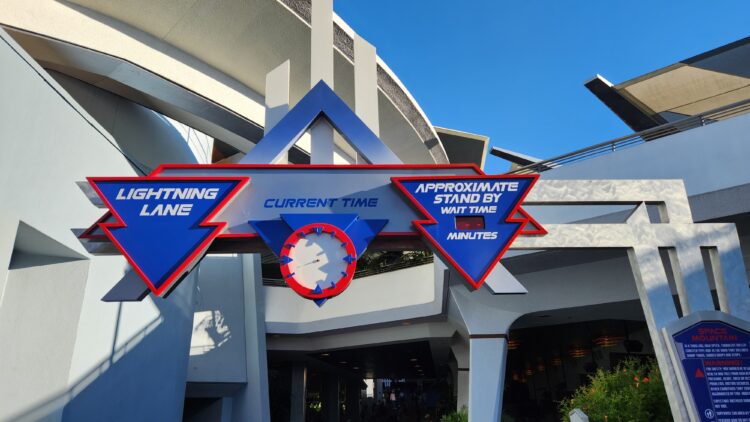
At Disney California Adventure, I watch:
- Guardians of the Galaxy – Mission: BREAKOUT!
- Toy Story Midway Mania!
That doesn’t mean you should automatically choose one of these as your first Lightning Lane. If your family doesn’t care about Space Mountain, it doesn’t matter how quickly its return times are moving. Your priorities should still come first.
If you book one of these attractions and the return time is later than you’d like, you aren’t necessarily stuck with it. Check back in the app throughout the day and use the Modify option to see whether an earlier return time has become available.
Lightning Lane availability can change as other guests modify or cancel their plans. When that happens, an earlier return time may pop back into the available selections. There’s no guarantee you’ll find one, but it’s worth checking occasionally if your current return time isn’t ideal.
And remember our rule from earlier: Modify, NEVER Cancel. If you see a better time, modify your existing selection rather than canceling it and starting over.
In the week leading up to your trip, open the Disneyland app a few times during the day and look at Lightning Lane return times. You can do this from home, and it’s a great way to get familiar with how quickly return times are moving before you’re standing inside Disneyland trying to make a decision.
Which Disneyland Attractions Have Lightning Lane Multi Pass?
Remember, not every attraction at Disneyland Resort offers Lightning Lane. Many attractions still use a traditional standby line only, so don’t be surprised when you don’t see every ride listed in the Multi Pass section of the app.
That’s another reason it’s worth looking through the participating attractions before deciding whether Multi Pass makes sense for your family. You may discover that many of your must-do attractions are included, or that several of the rides you’re most excited about don’t use Multi Pass at all.
Disneyland Park
At Disneyland Park, Lightning Lane Multi Pass is currently available at these attractions:
- Autopia
- Big Thunder Mountain Railroad
- Buzz Lightyear Astro Blasters
- Haunted Mansion
- Indiana Jones Adventure
- “it’s a small world”
- Matterhorn Bobsleds
- Mickey & Minnie’s Runaway Railway
- Millennium Falcon: Smugglers Run
- Roger Rabbit’s Car Toon Spin
- Space Mountain
- Star Tours – The Adventures Continue
- Tiana’s Bayou Adventure
Star Wars: Rise of the Resistance is not included with Multi Pass. Lightning Lane access for Rise of the Resistance is currently available separately through Lightning Lane Single Pass.
Disney California Adventure
At Disney California Adventure, Lightning Lane Multi Pass is currently available at these attractions:
- Goofy’s Sky School
- Grizzly River Run
- Guardians of the Galaxy – Mission: BREAKOUT!
- Incredicoaster
- The Little Mermaid – Ariel’s Undersea Adventure
- Monsters, Inc. Mike & Sulley to the Rescue!
- Soarin’
- Toy Story Midway Mania!
- WEB SLINGERS: A Spider-Man Adventure
Radiator Springs Racers is not included with Multi Pass. Lightning Lane access for Radiator Springs Racers is currently available separately through Lightning Lane Single Pass.
Attraction availability can change, and seasonal overlays or refurbishments may affect this list. Check the Disneyland app for the current participating attractions during your trip.
How Does Lightning Lane Single Pass Work?
Lightning Lane Single Pass works a little differently from Multi Pass. Instead of paying for access to a group of participating attractions, you’re purchasing Lightning Lane access for one specific attraction.
Currently, the two Single Pass attractions at Disneyland Resort are:
- Star Wars: Rise of the Resistance at Disneyland Park
- Radiator Springs Racers at Disney California Adventure
You do not need to purchase Lightning Lane Multi Pass to purchase a Single Pass. You can buy Multi Pass, Single Pass, both, or neither.
After you’ve entered a theme park for the day, you can check the Disneyland app for current Single Pass pricing and availability. When you purchase one, you’ll receive the next available arrival window for that attraction. Single Pass pricing varies by attraction and date, and availability isn’t guaranteed.
You can purchase a Single Pass for each of the two participating attractions on the same day if you have Park Hopper and want to ride both. You are limited to one Single Pass purchase per attraction per day.
Whether Single Pass is worth the extra cost is another one of those decisions that depends on your day. Check the current standby wait, think about how important that attraction is to your group, and decide whether paying for the shorter line is worth it to you.
Don’t forget to look at your other options before purchasing. Radiator Springs Racers, for example, also offers Single Rider, which may be a better fit for some groups. Paying for Single Pass is one option for experiencing these attractions, not something you automatically need to add to your Disneyland day.
Does Everyone in Your Group Need Lightning Lane Multi Pass?
Not necessarily. Lightning Lane Multi Pass is purchased per ticket, and there may be situations where it doesn’t make sense to purchase it for every ticketed person in your group.
For example, maybe you’re traveling with a 3-year-old who isn’t tall enough for many of the attractions where the rest of your family plans to use Lightning Lane. The few Multi Pass attractions they can and want to ride may also tend to have lower standby waits. In that situation, you might decide Multi Pass isn’t worth purchasing for that child.
There is an important exception for your littlest Disneyland visitors. Children under age 3 don’t need a Disneyland theme park ticket, so they don’t need their own Lightning Lane Multi Pass either. If your child under 3 is able to ride an attraction, they can enter the Lightning Lane with an accompanying adult who has a valid Lightning Lane return time.
For everyone age 3 and older, each person using the Lightning Lane entrance needs their own valid Lightning Lane selection.
This is worth thinking about before you purchase Multi Pass, especially if your group includes young children, non-riders, or people who aren’t interested in many of the participating attractions.
Families with younger kids should look at Disneyland’s attraction height requirements alongside the Multi Pass attraction list before purchasing. It can give you a much better idea of how many Lightning Lanes your family could realistically use.
What If You Mostly Want Multi Pass for PhotoPass?
If the PhotoPass benefit is one of the main reasons you’re considering Multi Pass, you don’t necessarily need to purchase Multi Pass for everyone in your group just to get the photos.
For example, maybe your family isn’t planning to use many Lightning Lanes, but you want the PhotoPass photos from your Disneyland day. One adult in your group could purchase Multi Pass and use the included PhotoPass benefit without purchasing Multi Pass for every ticketed member of the family.

Everyone can still be in the photos. Grandma doesn’t need her own Multi Pass just because she’s standing next to you in front of Sleeping Beauty Castle.
Just remember that only the people who have Multi Pass will be able to make and use Multi Pass Lightning Lane selections. So if the rest of the family wants to use Lightning Lane entrances too, they’ll need Multi Pass on their tickets as well.
Does Everyone Have to Book the Same Lightning Lane?
No. Your entire group doesn’t have to make the same Lightning Lane selections.
When you’re making a selection in the Disneyland app, you can choose which eligible members of your party you want to include. This means different people in your group can have different Lightning Lane plans.
For example, maybe one parent and an older child want to ride Space Mountain while another parent takes a younger child on Buzz Lightyear Astro Blasters. You can make separate Lightning Lane selections for each part of your group.
Just keep in mind that each person’s Lightning Lane eligibility is tied to the selections made for that individual ticket. If you start splitting your group into several different Lightning Lane plans, you’ll want to pay attention to when each person is eligible to make another selection.
You can also use this when some people simply don’t want to ride something. There’s no reason to include Grandma on your Guardians of the Galaxy: Mission: BREAKOUT! Lightning Lane if she has absolutely no intention of joining you. Leave her off that selection so she can use her Multi Pass for something she actually wants to ride.
Do You Need Lightning Lane Multi Pass Every Day?
No, but whether you should purchase Multi Pass for every park day depends on your trip.
If you know you’ll want to use Multi Pass throughout your vacation, purchasing it in advance has some real advantages. You’ll lock in the advance purchase rate rather than paying the potentially higher day-of price, and Multi Pass will already be attached to your ticket. Once you enter the park, you can get right to making your first selection instead of stopping to purchase it first.
The tradeoff is that when you add Multi Pass to a multi-day ticket in advance, you’ll need to purchase it for every day of that ticket.
If you’d rather decide day by day, you can wait until you’ve entered the park to purchase Multi Pass. On a longer trip, you might buy it on a day when you’re focusing on popular attractions and skip it on a slower day when you’re prioritizing characters, entertainment, dining, or attractions with shorter standby waits. Just remember that day-of pricing may be higher and Multi Pass is subject to availability.
Neither option is automatically better. Think about how many days you’re visiting, how you plan to spend those days, and whether the flexibility to skip Multi Pass on some days is worth giving up the locked-in advance rate and convenience of having it ready to go.
If you’re pretty sure you’ll want Multi Pass every day anyway, buying in advance can make a lot of sense. If you’re genuinely unsure whether you’ll use it every day, compare the total advance cost with the flexibility of deciding once you’re there.
Can You Do Disneyland Without Lightning Lane Multi Pass?
Absolutely. You do not need Lightning Lane Multi Pass to have a great Disneyland vacation.
Every trip is different, and there are plenty of reasons you might decide the extra cost isn’t worth it for your park day. Maybe you’re visiting for several days, your family isn’t interested in many of the participating attractions, or you’re simply comfortable using standby lines.
If you skip Multi Pass, you can still use the regular standby queues for attractions. You can also take advantage of options like Single Rider where available, and you can still purchase a Lightning Lane Single Pass for an eligible attraction without purchasing Multi Pass.
The biggest thing I want you to remember is that Lightning Lane is a tool, not a requirement. Buying it doesn’t automatically make your Disneyland day better, and skipping it doesn’t mean you’re planning Disneyland wrong.
The goal is to decide whether it makes sense for your trip and then enjoy your day without worrying about whether somebody else would have planned it differently.
Ready to Use Lightning Lane at Disneyland?
You don’t need to memorize every Lightning Lane rule or spend your entire Disneyland day staring at your phone to use Multi Pass well.
Start with your family’s priorities, understand when you can make another selection, remember to Modify, NEVER Cancel, and let Lightning Lane help you spend less of your vacation standing in line.
If you’d like something simpler to reference while you’re actually in the parks, I’ve also created a free Disneyland Lightning Lane Basics guide. It’s a quick, scannable version of the most important information from this article that you can save to your phone or print before your trip.